Skip to main content
Information Services Knowledge Base
View All
Search
Shelves
Books
Log in
Info
Content
Importing Favorites
Page Revisions
Revision #467
Importing Favorites
Step 1: Click the Favorites icon
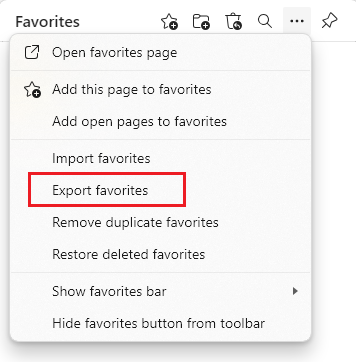
Step 2: Click the 3 horizontal dots
Step 3: Click Export Favorites
Step 4: Choose your file name and location to save to and Click Save
Back to top