
Clearing Teams Cache
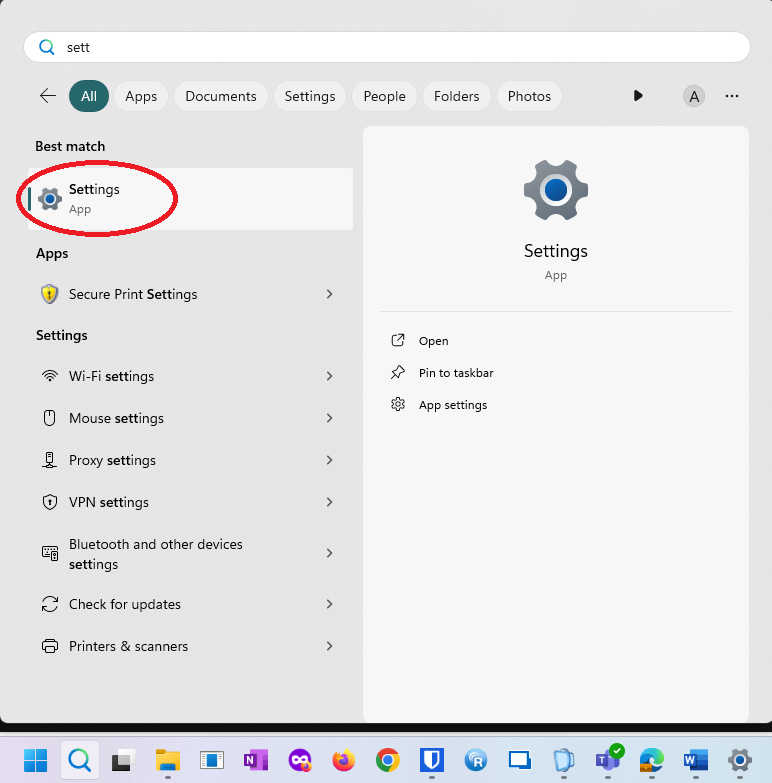
Step 1: Type settings in the search box, and then select the Settings app from the results.
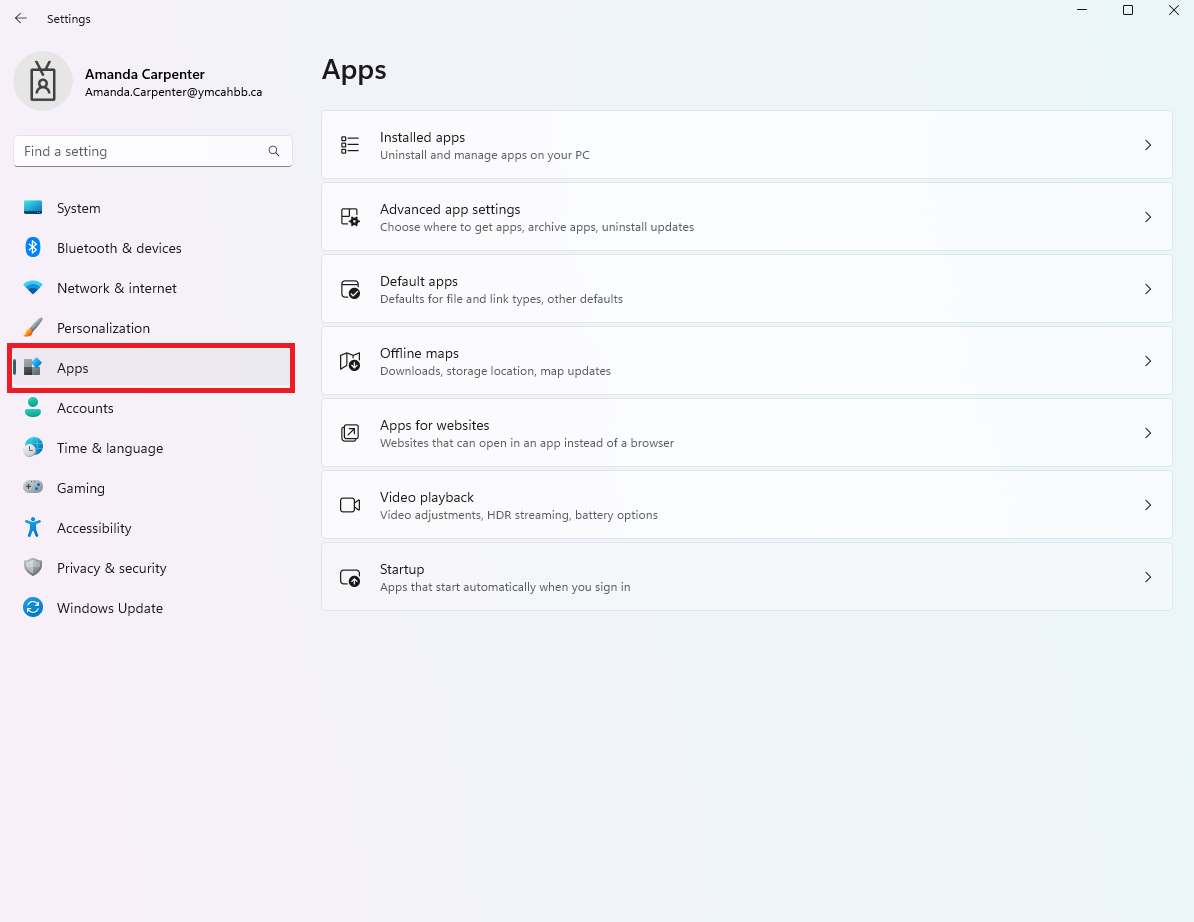
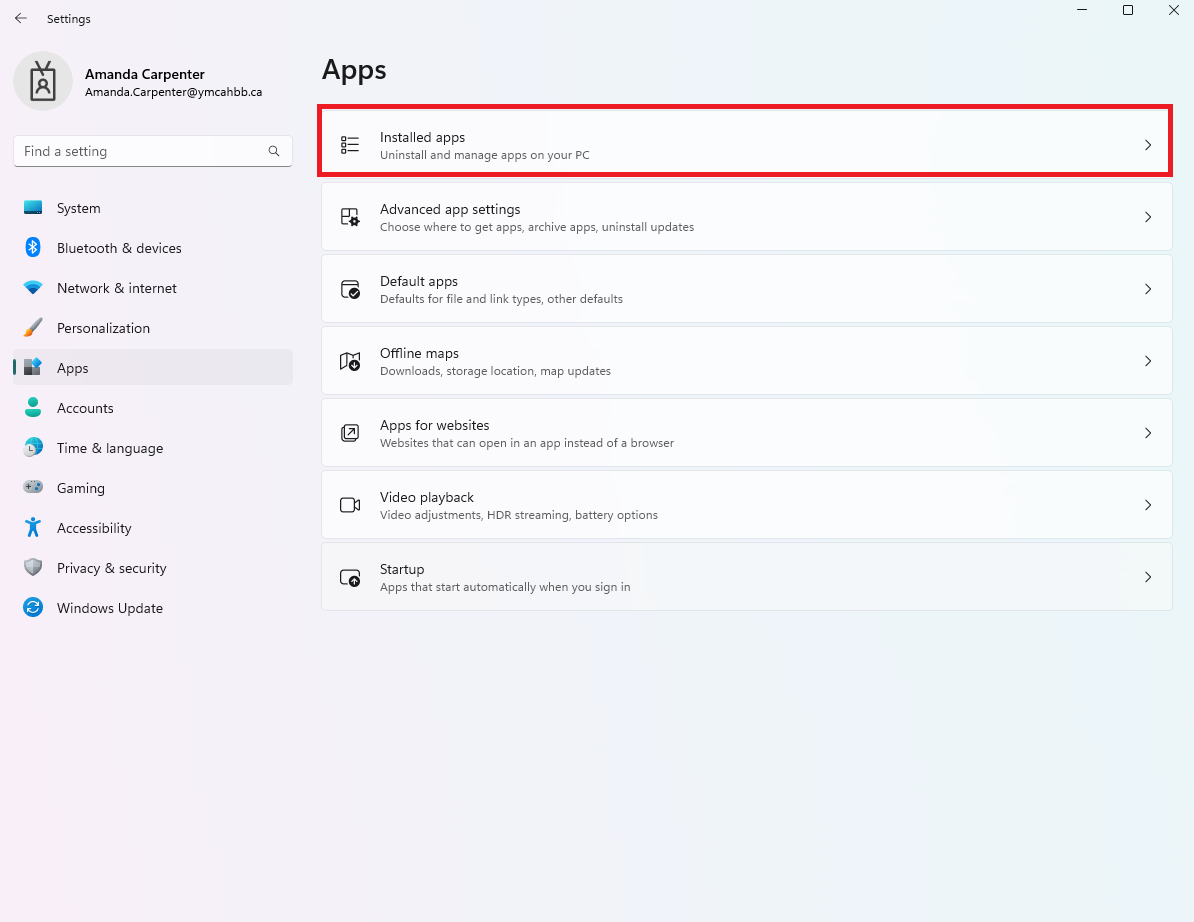
Step 2: Select Apps > Installed apps, and then type Microsoft Teams in the search box.

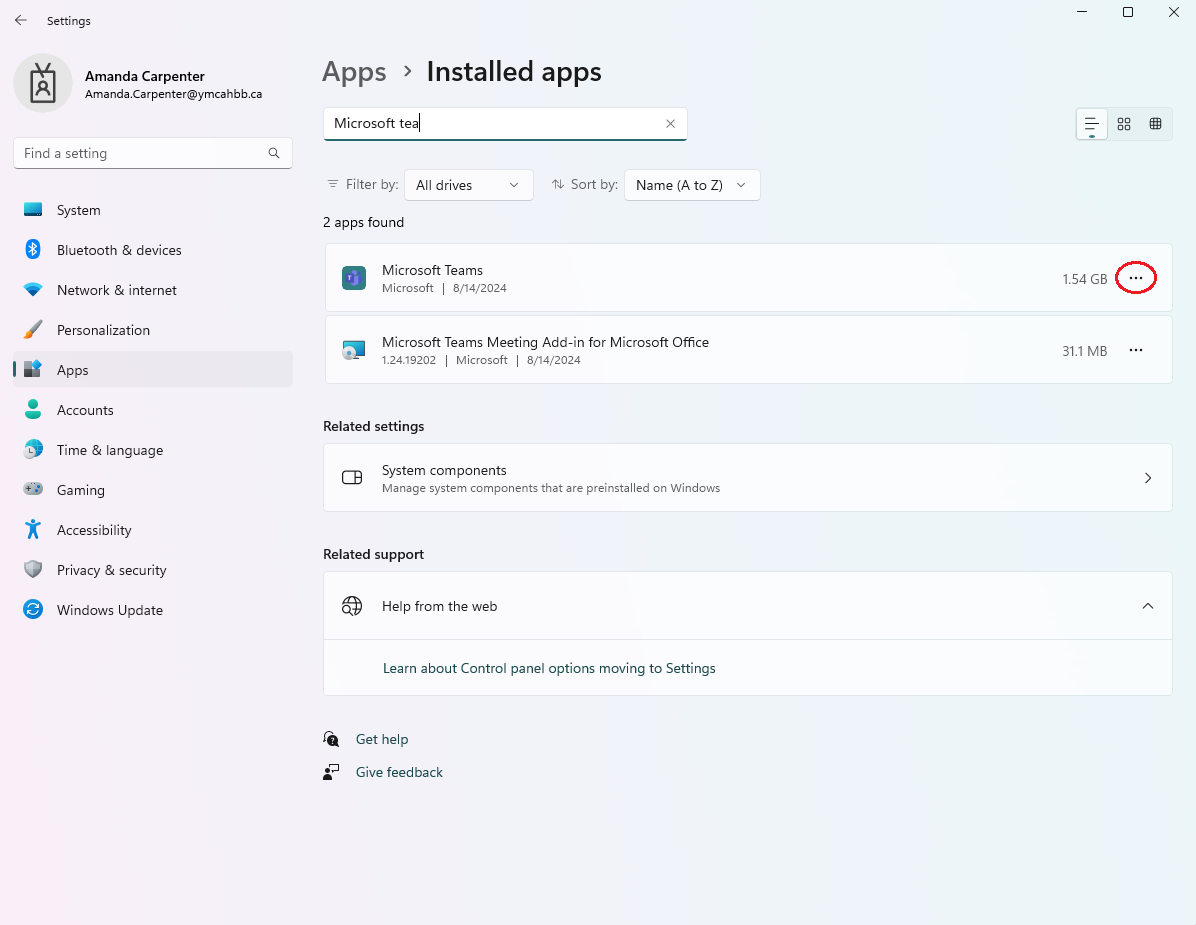
Step 3: Locate the Microsoft Teams app from the results, select the More options button (...) on the right, and then select Advanced options.

Step 4: Scroll down the page and select Reset.
